Wispr Flow: a website (and product) that's basically perfect
Wispr Flow is one of those rare reviews where I struggled to find anything to improve. The hero tells you exactly what the product does, the pricing is simple, and the ROI calculator is a small masterpiece.
Say what the product does in the first sentence - no metaphors
'You don't need to type, you can just speak. Four times faster.' Zero ambiguity. Visitors know what the product is, what the benefit is, and what makes it different - before they scroll once.
Show the transformation, not just the input
Their hero animation shows messy speech going in and clean text coming out. That's the whole product in 4 seconds of motion. Worth more than three feature paragraphs.
ROI calculators that prove the obvious
Their 'how much do you save per hour' calculator takes a vague benefit ('faster typing') and turns it into a concrete dollar figure tied to the visitor's own hourly rate. Strong personalization at zero cost.
Visual use-case grids that scale to ten audiences
Tech, government, writers, lawyers, support teams - all shown in a clean visual grid. Different audiences see themselves on the page immediately without needing dedicated industry sub-pages.
Pricing simplicity is its own conversion lever
Three clean plans, plain feature comparison, no add-ons-of-add-ons. Pricing complexity adds friction; pricing clarity removes it. Wispr's pricing page is the cleanest of the nine reviews on this page.
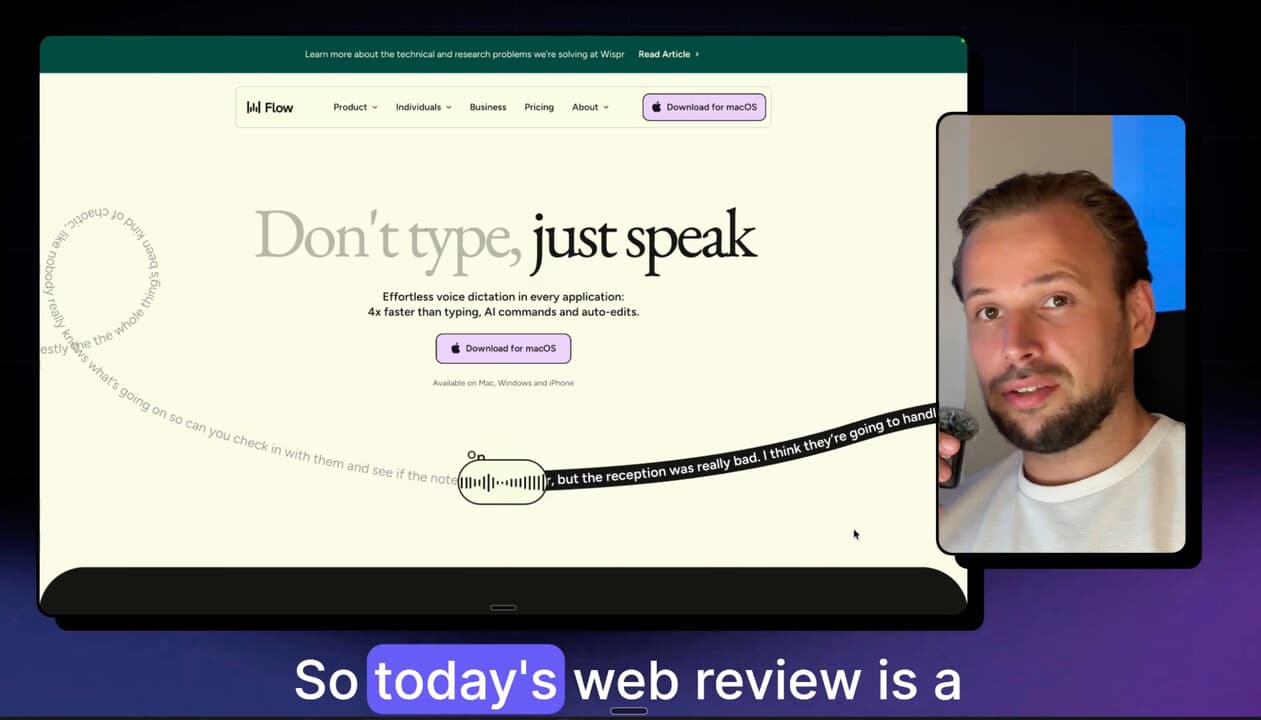
Today's web review is a little different, because this website is - in my opinion - pretty close to perfect. There's really nothing I can say they should improve. It checks all of the boxes a website should check. Also interesting: their product, which I'd basically recommend, is just that good. I didn't know I needed it, but once I started using it, it became more and more useful. So why not share it with you. Let's dive in.
What I like about the hero section: it already says what it does. "You don't need to type, you can just speak. Four times faster. Works in every application. AI." And what's really good here is the animation section - you can see that your text, which might not be perfect, will go through Flow and come out perfect. AI runs its checks, it will be grammatically correct, and you can just dictate whatever you want, and it makes perfect text out of that. So hero section really, really good.
You can see it works on every device - iOS, macOS, Windows - and with all the different applications you use: WhatsApp, AI tools, whatever you can imagine. Logos again. "Four times faster typing" is their selling point, and that's basically reality. They showcase visually really well how typing is slow for all of us, but if you use Flow, you can just speak - four times faster - and get the text out four times faster.
I love how they showcase different target groups. You can see tens and probably hundreds of use cases: tech companies, government, writers, lawyers, and so on. Homepage is really, really, really good. Nothing to say.
I like the pricing. It's so simple, clear plans, shows what each plan includes. Basic, Team, Enterprise. You can dive deeper into the features. Really nice and visual, not overwhelming.
This is a cool part - you can see what your hourly billing rate is, check how many hours you spend on typing, and see the amount you're probably saving per hour. Visually really nice. I like this part in the footer too.
Navigation is something to call out. It shows really well the use cases for different industries and people - you can understand a little bit more about what the product is for at a glance.
So really, really good - and my real recommendation: try out the product. I think it's really good. Use it on mobile, use it with different apps. Download it for your laptop and try it with different apps. I use it a lot with ChatGPT, on mobile when I'm using WhatsApp - sometimes I just don't want to type, or I don't have time to type, but I hate audio messages. Flow is the perfect tool for that.